Unsupported virtual machine settings
Applies to:
Cryptshare Server version 4.4 and higher
Symptom:
- After processing Cryptshare Server update the old version is shown
- Cryptshare service of version 4.5 and higher is not starting
Solution:
1. Upgrade system hardware
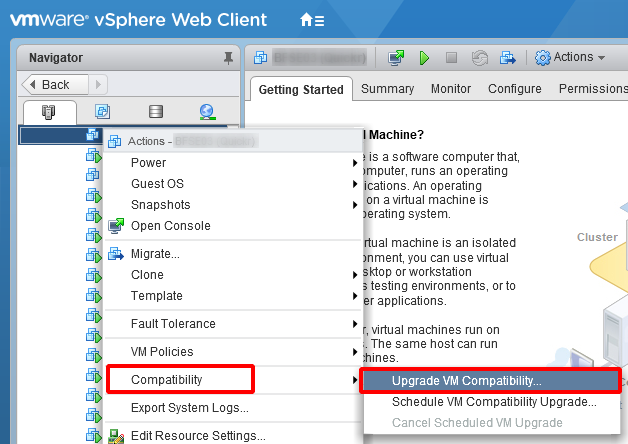
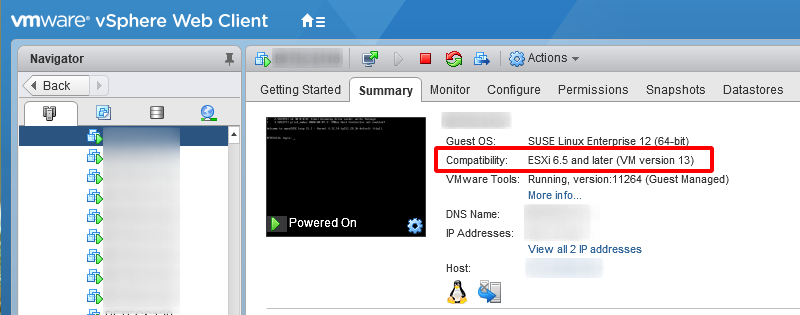
2. Change Guest OS settings
For Cryptshare Server running on vSphere the Guest OS settings should be set to the latest available version.
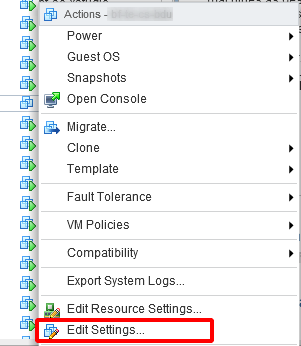
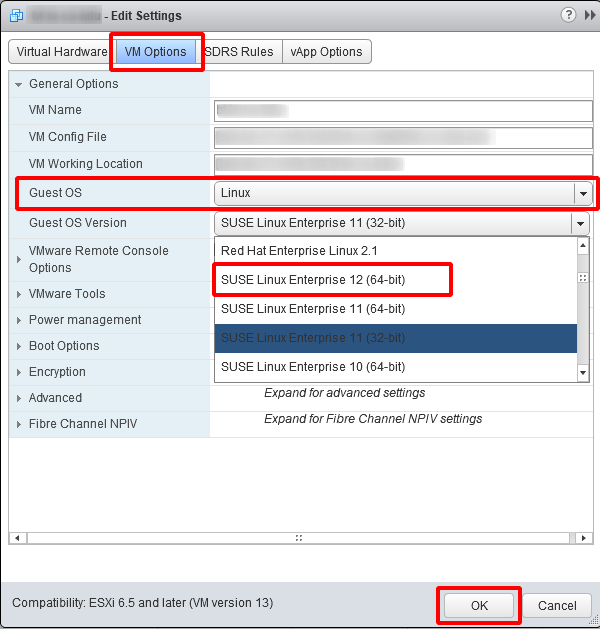
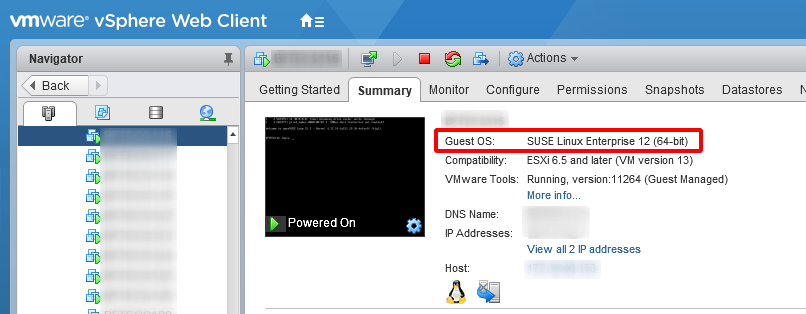


2. Change Guest OS settings
For Cryptshare Server running on vSphere the Guest OS settings should be set to the latest available version.


Related Articles
Settings Changed, but the New Configuration Is Not Applied
Problem You have changed a setting in the system configuration, but the new value is not applied for users or specific actions. This behavior usually occurs when active policy rules still contain different or outdated configuration values. Cause In ...The given password does not fulfil the password security settings (Return Code 41)
Applies to: Cryptshare Server from version 3.10.1.0 Symptom: After updating the Cryptshare Server to v3.10.1.0, passwords used or auto-generated in Cryptshare for Notes are not accepted by the server. The log file shows the following error message: ...Installation of Cryptshare Version 7.1.0 -
This article covers the installation of Cryptshare Version 7.1.0 and older. If you try to install Cryptshare Server version 7.2.0 or newer, please refer to Installation Inhaltsverzeichnis 1 Virtual appliance 1.1 Scope of delivery of the VM Build ...Improve performance for systems under high load
Inhaltsverzeichnis 1 Applies to: 2 Purpose: 3 Solution: 3.1 1. Update Cryptshare Server 3.2 2. Check system hardware 3.3 3. Assign more memory to Cryptshare application 3.4 4. Change Guest OS settings 3.5 5. Adjust the Web Server Configuration ...Migrating Cryptshare
Applies to: All versions of Cryptshare Server Purpose: This article guides you through a Cryptshare Server migration. Solution: Be sure that your Cryptshare Server is running at least version 4.3.0 before proceeding. If not, please update as ...